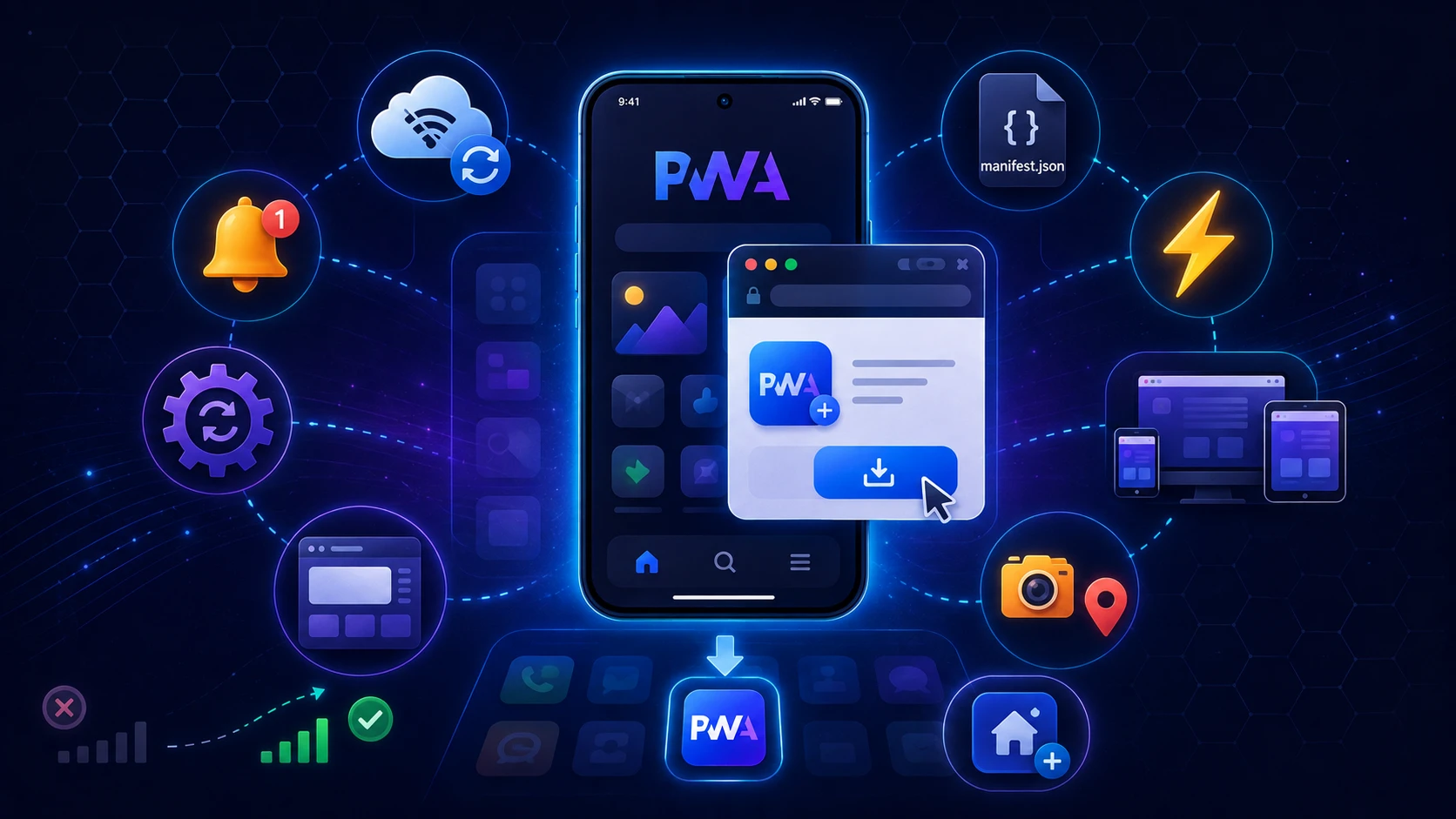
Mobile app tanpa perlu download dari App Store? Website yang bisa di-install di home screen? Notifications seperti native app? Welcome to the world of Progressive Web Apps (PWA).
Apa Itu Progressive Web App?
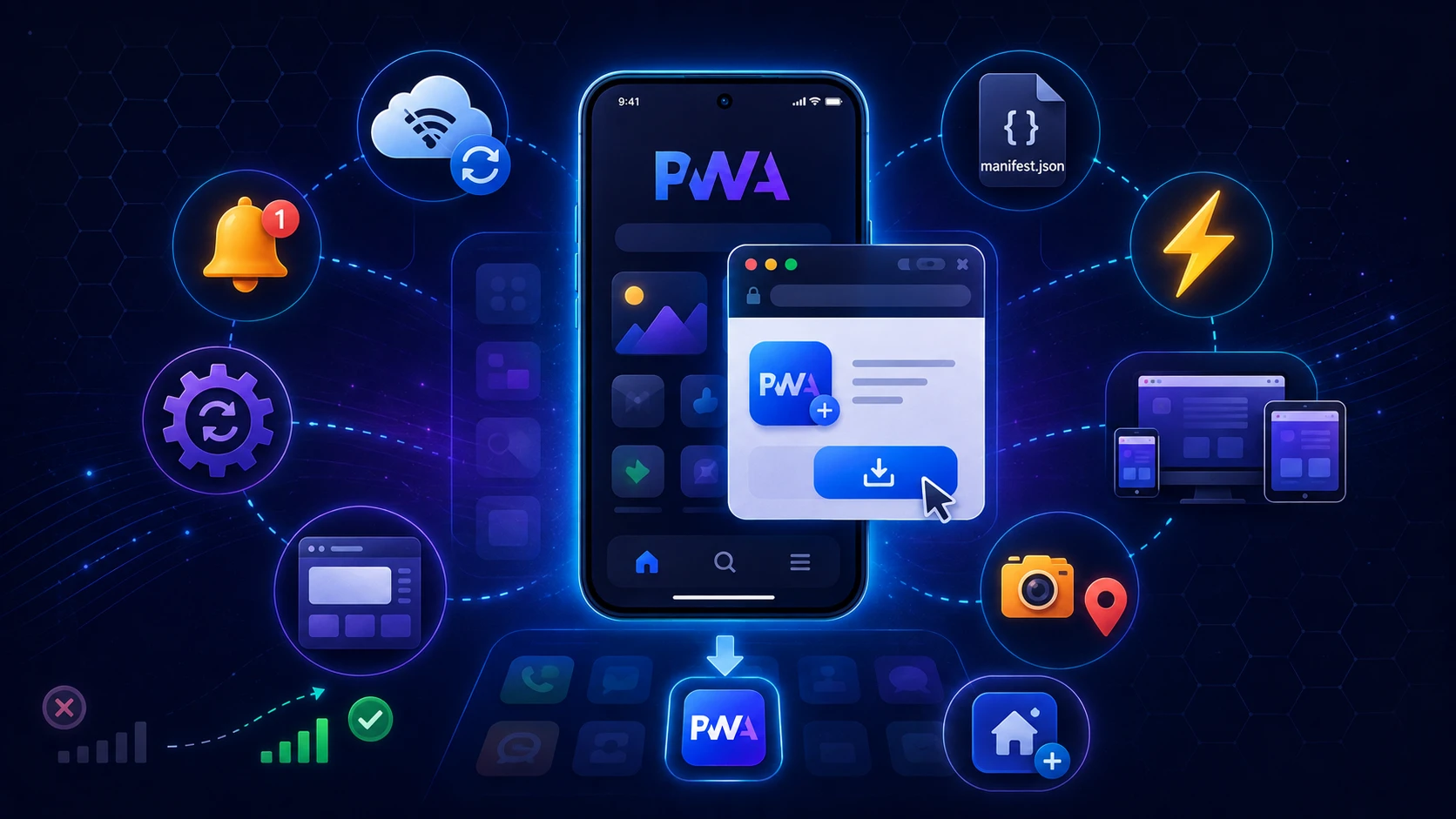
PWA adalah website yang behave seperti native mobile app. PWA menggabungkan best of both worlds:
- ✅ Reach dari web (no app store approval)
- ✅ Experience dari native app (smooth, fast, engaging)
- ✅ No download required (langsung akses via browser)
- ✅ Cross-platform (iOS, Android, Desktop)
Kenapa PWA adalah Future of Mobile?
1. User Friction Berkurang Drastis
Traditional Native App:
- User buka App Store/Play Store
- Search app
- Download (50-200MB)
- Install (tunggu loading)
- Buka app
- Register/login
Conversion rate: 15-20%
PWA:
- User klik link
- Langsung akses
- Option to "Add to Home Screen"
Conversion rate: 60-70%
2. Development Cost Lebih Rendah
Native App Development:
- iOS app (Swift/Objective-C): $20,000-50,000
- Android app (Kotlin/Java): $20,000-50,000
- Total: $40,000-100,000
- Maintenance: $10,000-20,000/year
PWA Development:
- Single codebase: $15,000-30,000
- Works di semua platform
- Maintenance: $5,000-10,000/year
Savings: 60-70%
3. Faster Updates
Native App:
- Submit update ke App Store/Play Store
- Tunggu review (1-7 hari)
- User harus download update
- Adoption rate: 40-60%
PWA:
- Deploy ke server
- Instant update untuk semua users
- No download required
- Adoption rate: 100%
Fitur-Fitur PWA
1. Installable (Add to Home Screen)
User bisa install PWA ke home screen tanpa App Store.
Implementation:
// manifest.json
{
  "name": "GifaTech App",
  "short_name": "GifaTech",
  "start_url": "/",
  "display": "standalone",
  "background_color": "#1a1a2e",
  "theme_color": "#28a745",
  "icons": [
    {
      "src": "/icon-192.png",
      "sizes": "192x192",
      "type": "image/png"
    },
    {
      "src": "/icon-512.png",
      "sizes": "512x512",
      "type": "image/png"
    }
  ]
}
2. Offline Functionality
PWA bisa work tanpa internet connection menggunakan Service Workers.
Implementation:
// service-worker.js
self.addEventListener('install', (event) => {
  event.waitUntil(
    caches.open('v1').then((cache) => {
      return cache.addAll([
        '/',
        '/styles.css',
        '/script.js',
        '/offline.html'
      ]);
    })
  );
});

self.addEventListener('fetch', (event) => {
  event.respondWith(
    caches.match(event.request).then((response) => {
      return response || fetch(event.request);
    })
  );
});
3. Push Notifications
Send notifications ke users seperti native app.
Implementation:
// Request permission
Notification.requestPermission().then((permission) => {
  if (permission === 'granted') {
    // Register push notification
    registration.pushManager.subscribe({
      userVisibleOnly: true,
      applicationServerKey: publicKey
    });
  }
});
4. Fast Loading (App Shell)
Instant loading menggunakan app shell architecture.
- Cache UI skeleton
- Load content dynamically
- Perceived performance: instant
5. Responsive & Mobile-First
PWA automatically adapt ke berbagai screen sizes:
- Mobile phones
- Tablets
- Desktop
- Foldable devices
Success Stories
Twitter Lite (PWA)
- ✅ 65% increase in pages per session
- ✅ 75% increase in Tweets sent
- ✅ 20% decrease in bounce rate
- ✅ 70% faster load time
Starbucks PWA
- ✅ 2x daily active users
- ✅ 99.84% smaller than iOS app
- ✅ Works offline untuk menu browsing
Pinterest PWA
- ✅ 60% increase in core engagements
- ✅ 44% increase in user-generated ad revenue
- ✅ 40% increase in time spent
Cara Build PWA
Step 1: HTTPS (Required)
PWA hanya work di HTTPS. Setup SSL certificate:
- Let's Encrypt (Free)
- Cloudflare (Free)
- Paid SSL certificate
Step 2: Create Web App Manifest
File manifest.json mendefinisikan app metadata.
<link rel="manifest" href="/manifest.json">Step 3: Implement Service Worker
Service worker handle caching dan offline functionality.
// Register service worker
if ('serviceWorker' in navigator) {
  navigator.serviceWorker.register('/service-worker.js')
    .then((registration) => {
      console.log('Service Worker registered');
    });
}
Step 4: Design App Shell
Create minimal UI yang di-cache untuk instant loading.
Step 5: Add to Home Screen Prompt
Prompt users untuk install PWA.
let deferredPrompt;

window.addEventListener('beforeinstallprompt', (e) => {
  e.preventDefault();
  deferredPrompt = e;

  // Show install button
  showInstallButton();
});

installButton.addEventListener('click', async () => {
  deferredPrompt.prompt();
  const { outcome } = await deferredPrompt.userChoice;
  console.log('User choice:', outcome);
});
Step 6: Test PWA
Tools:
- Chrome DevTools → Lighthouse
- PWA Builder (pwabuilder.com)
- Workbox (Google's PWA library)
PWA vs Native App vs Website
| Feature | Website | PWA | Native App |
|---|---|---|---|
| Installation | No | ✓ Optional | ✓ Required |
| Offline Work | No | ✓ Yes | ✓ Yes |
| Push Notifications | No | ✓ Yes | ✓ Yes |
| App Store | No | No | Required |
| Development Cost | Low | Medium | High |
| Updates | Instant | Instant | Slow (review) |
Kapan Harus Pilih PWA?
✅ PWA adalah Pilihan Tepat Jika:
- Budget terbatas (tidak bisa develop iOS + Android)
- Butuh fast time-to-market
- Target audience primarily web users
- Frequent updates diperlukan
- SEO penting (PWA indexable, native app tidak)
❌ Mungkin Butuh Native App Jika:
- Butuh advanced hardware access (NFC, Bluetooth LE)
- Heavy processing (game, video editing)
- App Store presence sangat penting
- Deeply integrated dengan OS features
Tools & Frameworks untuk Build PWA
JavaScript Frameworks:
- React + Create React App (built-in PWA support)
- Vue.js + Vue CLI (PWA plugin)
- Angular (PWA schematics)
- Next.js (with next-pwa)
PWA Libraries:
- Workbox (Google): Service worker library
- PWA Builder: Generate PWA dari existing website
- Ionic: Hybrid framework dengan PWA support
Best Practices
Performance:
- ✅ Optimize images (WebP format)
- ✅ Lazy load content
- ✅ Minimize JavaScript
- ✅ Use CDN
- ✅ Implement caching strategy
UX:
- ✅ Show offline indicator
- ✅ Smooth animations
- ✅ Fast interaction feedback
- ✅ Progressive enhancement
Security:
- ✅ HTTPS only
- ✅ Content Security Policy
- ✅ Validate service worker updates
Kesimpulan
PWA adalah future of mobile experience karena menggabungkan best of both worlds: reach dari web dan experience dari native app.
Key Benefits:
- ✅ 60-70% lower development cost
- ✅ Instant updates tanpa app store
- ✅ Work offline dengan service workers
- ✅ Better conversion rates (no download friction)
- ✅ Cross-platform dengan single codebase
Siap build PWA untuk bisnis Anda? GifaTech specialist dalam PWA development. Dari konsep sampai deployment, kami siap bantu transform website Anda jadi powerful mobile experience. Konsultasi gratis!